Showing posts with label programming. Show all posts

Thursday, January 8, 2026

Robots, AI, and Programming

In December 2011 I wrote that forgetting is the key to AI. I still stand by it. To function independently, robots will have a compact offline model (intelligence) plus, limited memory (short term and long term), and a hierarchy of goals (meaning of life). The long term memory will need to be purged periodically (sleep) and the model retrained (learning).

In January 2012 I read "Facing the Singularity", and concluded that if we cannot ensure that AI is friendly to us, we need to ban its development.

In April 2012 I wrote that I was scared by the progress in humanoid robots and AI development. Boston Dynamic's PETMAN looked like this then:


In October 2012 I read "Google Speaks" where I found this quote by Larry Page: "Google will fulfill its mission only when its search engine is AI-complete. You guys know what that means? That's artificial intelligence." 

In July 2016 I read about the math equation for universal AI and this definition of intelligence by Shane Legg, co-founder of DeepMind:

Intelligence measures an agent’s ability to achieve goals in a wide range of environments.

On his blog Shane wrote in December 2010:

My longest running prediction, since 1999, has been the time until roughly human level AGI. It’s been consistent since then, though last year I decided to clarify things a bit and put down an actual distribution and some parameters. Basically, I gave it a log-normal distribution with a mean of 2028, and a mode of 2025. Over the last year computer power has increased as expected, and so it looks like we’re still on target to have supercomputers with 10^18 FLOPS around 2018. In terms of neuroscience and machine learning, I think things are progressing well, maybe a little faster than I’d expected. I was toying with the idea of moving the prediction very slightly closer, but decided to play it safe and keep the prediction unmoved at 2028. With many people thinking I’m too optimistic, showing restraint is perhaps wise 🙂 I can always move my prediction nearer in a year or two.

Two days ago, Boston Dynamics and Google's DeepMind announced a partnership. The prototype of the new Atlas that walks "like it’s going to steal your girl": 


Boston Dynamics is planning to make about 30 thousand Atlas units in 2026.

Boston Dynamics was the pioneer and is the best known, but there are multiple robot companies planning to ramp up production in 2026. They are primarily Chinese and American. Out of a plethora of Chinese robot makers I will show these: Unitree, Xpeng, EngineAI, and UBtech:

Unitree may become another DJI (a leader in flying drones). They make multiple humanoids: 

The smallest and cheapest R1: 121 cm tall, 25 kg:

Bigger and heavier G1: 127 cm tall (Basic), 35 kg:


And a full-size human H2: 180 cm tall, 70 kg:


XPeng is an electric car maker, who made a robot that many thought was a person in a costume, so then they had to cut the fabric open on stage:

IRON: 178 cm tall, 70 kg:


EngineAI introduced T800 using a video made like a movie, and subsequently many people thought it was CGI, so they released the backstage video:

T800: 173 cm tall, 75 kg:


UBtech created a stir with a video of their freshly made robots marching into shipping containers. They also were accused (wrongly) of using CGI.

Walker S2: 176 cm, 70 kg:


..........

The world changed in November 2022, when OpenAI released ChatGPT. 

We, programmers, always had to cope with a constantly changing work environment: new languages, new tools, new platforms, new frameworks, new libraries. We were still coding though. With AI, we got help: first a smarter search - we no longer google or ask questions on StackOverflow - our source of solutions for all problems, not so long ago:

Number of questions asked per month. Jeff Atwood left in 2012.

Then AI was a more intelligent auto-complete, a unit test generator, an API implementer, a smart colleague who can introduce us to a new framework or concept and build a prototype for us, a senior developer who can find a bug that we struggled with for weeks, the pace accelerated so much that even the people at the bleeding edge are feeling behind: 

Andrej Karpathy worked as a director of AI at Tesla, co-founded OpenAI, taught AI at Stanford.

In November 2025 Anthropic released Claude Opus 4.5, which may be a superhuman-level AGI for coding - it's better at coding than 100% of programmers who applied for a job at Anthropic.


The risk of human extinction because of AI is real and may be about 20%. You can learn more by listening to interviews with Stuart Russell and Tristan Harris.

.............
I wrote this blog with the help of Google's AI assistant - it was hard or impossible to find some of the information using search.

Tuesday, October 6, 2020

Evaluating the Availability and Relative Speed of Public Transport

6 October 2020

I've spent the whole day yesterday looking into an interesting problem brought to my attention by Wayne Purcell after he read an article by Simon Behar. I took Simon's code, signed up for Google Maps API key, got the relation ids for a few cities from OpenStreetMap.org, and the poly files from Polygons.OpenStreetMap.fr, updated my Visual Studio Code and Python installations and ended up with this code:

Note: if you are reading this on a phone, the horizontal view may be better.

import googlemaps
import random
import csv
import time
from shapely import geometry as geo
from datetime import datetime, timedelta

MODES = ["driving""transit"]

CITIES = {"Gold Coast""GoldCoast""Warsaw""Warsaw", \
    "Brisbane""Brisbane""Berlin":"Berlin"}

# utc offset may change on daylight saving time (DST) change
GMT = {"Gold Coast": +10,  "Warsaw": +2, \
    "Brisbane": +10"Berlin": +2
POLYS = {}

gmaps = googlemaps.Client(key = "your api key goes here")

def get_directions(_from_to_mode_time):
    return gmaps.directions(_from,_to, mode=_mode, \
        departure_time=_time)

def get_travel_time(_dir):
    "In minutes"
    return round(_dir[0]['legs'][0]['duration']['value'] / 602)

def get_travel_distance(_dir):
    "In kilometers"
    return _dir[0]['legs'][0]['distance']['value'] / 1000

def get_poly(_city):
    poly_name = CITIES[_city]
    if poly_name in POLYS:
        return POLYS[poly_name]
    else:
        POLYS[poly_name] = create_polygon_from_file(poly_name)
        return POLYS[poly_name]

def create_polygon_from_file(_file_name):
    poly_points = []
    with open ("polys\\" + _file_name + \
         ".poly.txt""r"as raw_poly:
        
        raw_poly.readline()
        next_line = raw_poly.readline()
        
        while next_line[0] != "E":
            next_line = raw_poly.readline()
            
            while next_line[0] != "E":
                pair = next_line.split("\t")[1:]
                pair[1] = pair[1][:-1]
                poly_points.append([float(p) for p in pair])
                next_line = raw_poly.readline()
            next_line = raw_poly.readline()
    return geo.Polygon(poly_points)

def generate_random_point(polygon):
    minx, miny, maxx, maxy = polygon.bounds
    pnt = geo.Point(random.uniform(minx, maxx), \
        random.uniform(miny, maxy))
    
    while not polygon.contains(pnt):
        pnt = geo.Point(random.uniform(minx, maxx), \
            random.uniform(miny, maxy))
    return pnt

def point_to_dict(point):
    return {"lat": point.y, "lng": point.x}

def dict_to_string(_dict):
    return str(_dict['lat']) + " " + str(_dict['lng'])

def get_test_point(poly):
    return point_to_dict(generate_random_point(poly))

def route(_citylocalTimeattempt):
    poly = get_poly(_city)
    _from = get_test_point(poly)
    _to = get_test_point(poly)
    out = [_city, dict_to_string(_from), dict_to_string(_to)]
    
    for mode in MODES:
        departure_time = localTime - timedelta(hours = GMT[_city])
        print(mode + " directions in " + _city + " from " + \
            dict_to_string(_from) + " to " + dict_to_string(_to) +\
                " at " + str(departure_time))
        res = get_directions(_from, _to, mode, departure_time)

        if not res:
            time.sleep(1)
            if mode == 'transit':
                print ("Route failed at " + mode + ", retrying...")                
                return []
            return route(_city, localTime, attempt)    
        out.extend([get_travel_time(res), \
            get_travel_distance(res)])
    
    return out

def run(citiesroutesoutputFilelocalTime):
    with open(outputFile, 'a'newline=''as out:
        writer = csv.writer(out, dialect='excel')
        writer.writerow(['city''start''end''driving_time[m]',\
            'driving_dist[km]''transit_time[m]', \
            'transit_dist[km]''attempts''ratio'])
        
        for city in cities:            
            for i in range(routes):
                attempt = 1
                print ("Progress: " + str(i) + "/" + str(routes))
                time.sleep(1)
                res = route(city, localTime, attempt)
                while not res:
                    attempt += 1                    
                    res = route(city, localTime, attempt)
                res.extend([str(attempt), \
                    round(res[5] / res[3], 2) ])
                
                writer.writerow(res)

run(CITIES.keys(), routes=10outputFile="4cities.csv", \
    localTime= datetime.fromisoformat("2020-10-07T08:00:00"))

Which, I think allows to measure the availability and relative speed of public transport at 8am local time on a particular work day.

Here are the results for Berlin, Warsaw, Brisbane and Gold Coast:


What was missing in Simon's article and data was a number of failed attempts at routing by public transport between points A and B. The results for Brisbane and Gold Coast may be skewed by their boundaries including large national parks without any public transport nearby. Warsaw and Berlin also have large forests within city boundaries, but they seem to be more available. Still, in Brisbane and Gold Coast you CAN get there by car - driving is checked first, so the data as the measure of availability of public transport stands.

The code picks 10 random routes and asks Google Maps for a route at 8am local time when driving and when using public transit, and then compares the times. The longer it takes to get from A to B using public transport, the less attractive it is for people to use. A ratio of 2 means that it takes twice as much time to get from A to B using public transport than driving. The ratio of 2 is not bad.

I will do more testing, but from yesterday’s runs, the state of public transport availability is:

1. Warsaw: 0 failed attempts, speed ratio of 2.9

2. Berlin: 1 failed attempt, speed ratio of 2.1

3. Brisbane: 14 failed attempts, speed ratio of 7.4 

4. Gold Coast: 54 failed attempts, speed ratio of 4.2

The availability of public transport for Warsaw and Berlin is close to 100% (need to run 100 routes, instead of 10 to get more accurate percentages, but my guess Berlin is closer to 100% than 90%).

The availability of public transport for Brisbane is 42% and for Gold Coast only 16%.

The next step will be to to include more cities and check for correlations with public transport mode share.

Friday, September 20, 2019

The Pragmatic Programmer Book by Andrew Hunt and David Thomas


It was one of the most important books for me as a programmer. I think I was given it, to read, by a colleague who later went to work for CERN. I had two copies: one in Polish, one in English. Both are gone, I think I lent them, and never got them back.

A new edition of this classic by Andrew Hunt and David Thomas is out: https://pragprog.com/book/tpp20/the-pragmatic-programmer-20th-anniversary-edition

As usual there are interesting comments about it on Hacker News:
https://news.ycombinator.com/item?id=21016664

The timeless list of tips:
https://pragprog.com/tips/

Wednesday, May 17, 2017

Clean Code by Robert C. Martin

Subtitle: A handbook of Agile Software Craftsmanship. First published in 2008.

One of the core programming books. All code examples are in Java.

Functions:

Should do one thing only.

One level of abstraction per function: making the code read like a top-down list of TO instructions is an effective technique to achieve that (the Stepdown Rule):

For example, for a non-configurable dashboard I could write:

"To create a Home Dashboard, get the System Status traffic light, Devices/Users vertical bar chart, and Workflow Pipeline horizontal bar chart."

The ideal number of arguments for a function is zero.

niladic - 0 arguments
monadic - 1 (monads)
dyadic - 2 (dyads)
triadic - 3 (triads)
polyadic - 3+ do not use

Why? More arguments = harder to read, harder to test: lots of combinations.
Flat, output arguments, and flags - ugly, confusing, terrible.
If your function needs to change the state of something, let it be the state of its owning object.

Temporal coupling - when a function can only be called at certain times.

Not having boolean arguments: but a boolean argument could prevent duplication: but the duplication can be solved by creating another function.

Because a function should do only one thing and a function with try/catch is doing error handling, it should only do error handling, i.e. in the try section it should just call one subfunction and in the catch it should handle all possible exceptions.

My argument against exceptions: they are like GOTO of old: arbitrarily move execution somewhere else in code. Also, handling exceptions in separate functions, as recommended, leads to abstraction leakage: the exception may be from many layers down.

My argument against small functions with only one or two arguments: class count and stack depth explosion: lots more classes, lots more layers.

My argument against "comments are always failures": comments are necessary when explaining the path taken: why did we code it this way. The author clarifies that a few pages later: intent comments are good.

Do not return null.

Side effects are evil.

Funny parts:
G25: Replace magic numbers with named constants, except for well known numbers like 5280: "the number 5280 is so very well known and so unique a constant that readers would recognize it even if it stood alone on a page with no context surrounding it." 

Really? If you belong to the 95% of the world population using the metric system (everyone, except the US, Myanmar, and Liberia), 5280 is a magic number to you. It is the number of feet in a mile.

G31: hidden temporal coupling - when functions must be executed in order, but they don't use arguments/return values to show it. Have fun debugging that. :-)


Wednesday, August 10, 2016

The Great Australian Census Fail of 2016

Yesterday was the online census night. The previous census night was 5 years ago and the census was a paper form. This year, the ABS (Australian Bureau of Statistics) wanted a representative of every Australian household (there are about 9 million) to log on and do a 30 minute census form. On a Tuesday night.

From my experience, Australians go to bed early during the week. Long commutes, full time work, and after school activities mean that the weekday evening lasts maybe a couple of hours. Most Australians live on the east coast, and on 9th August 2016, Brisbane, Sydney, and Melbourne had the same time. Adelaide was only 30 minutes off. Perth was 2 hours off, so let's say it does not count. Population of Western Australia is only about 2.5 million out of 24 million for the whole of Australia.

Excluding Western Australia, we had about 8 million people (2.6 people per household) trying to access a website, and do a 30 minute form, within a 2 hour window. The window could have been more likely only a 1 hour window - people tend to have similar routines.

To accomodate that traffic, I would design and test the system for the worst case scenario: 8 million submissions in about a 15 minute window. Using a 15 minute window gives us a theoretical throughput of 32 million applications per hour.

What load did the ABS plan for? 1 million applications per hour. Any wonder it failed?


Planning for traffic 32 times heavier than ABS did, might also give us some breathing room in case of DoS attacks (not much really in case of a serious one), although to fight them off I would turn before-hand to a specialist web hosting company that offers DDoS protection.

There is also the question of design. I would not go with server-heavy JSP:


I would design the website to mirror the paper form (with a smart phone friendly option): static html5 delivered by CDN with client-side validation of data, no server-side validation on submission either, just storing the document. Processing of forms would happen later, using internal servers, and could take hours or days - as much time as it needed.

15.08.2016 Update:
By a security specialist: Censusfail and the fog of war


Sunday, July 3, 2016

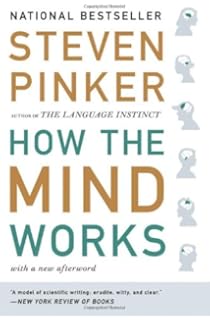
How The Mind Works by Steven Pinker


A good book. Sometimes a bit too wordy. Sometimes a bit off topic. Nevertheless, very interesting. It's not just about the mind. It is about evolution, genes, neural networks, optics, and mathematics of music. It is about reverse-engineering us. Why we act the way we act. How our senses work. 
To understand sight, we have to look to optics and computer vision systems. To understand movement, we have to look to robotics. To understand sexual and familial feeling, we have to look to Mendelian genetics. To understand cooperation and conflict, we have to look to the mathematics of games and to economic modeling.
Reverse engineering is the key to understanding how we work. Take morning sickness for example. Why is it part of pregnancy? A biologist, Margie Profet assumed that if it is there, it must be beneficial in some way, and she found it: 

  1. Pregnancy sickness protects the developing baby from toxins: plant toxins in quantities that adults tolerate can cause birth defects
  2. Pregnancy sickness starts when the embryo is most vulnerable to teratogens (birth defect inducing chemicals)
  3. Pregnancy sickness ends when the embryo is past the critical stage of organ development and needs nutrients for further growth
  4. Women with more severe pregnancy sickness are less likely to miscarry
Natural selection started with a replicator. Itself not a product of natural selection, but of chemical and physical processes. Replicators compete for resources. Copying errors that improve chances of reproduction are preserved by pushing out organisms that don't reproduce as well.

Confucius said "A common man marvels at uncommon things; a wise man marvels at the commonplace."

Steve Pinker is looking at commonplace human acts and wonders how they work, how could a robot do them.

Two related, interesting texts:
DNA seen through the eyes of a coder
The math equation for universal AI

The latter one is especially important. It may be describing how our intelligence works.


New observations allow AIXI to improve its world model, which over time gets better and better. This is the learning component. [...] 
The goal of AIXI is to maximise its reward over its lifetime – that’s the planning part. [...] 
[...] every interaction cycle consists of observation, learning, prediction, planning, decision, action and reward, followed by the next cycle.


Wednesday, February 24, 2016

Ahead of time vs just in-time compilation

An interesting blog about AOT (ahead of time) versus JIT (just in-time) compilation:
"So, Windows 10 has just been released, and with it Ahead Of Time (AOT) compilation feature .NET native. Google also just recently introduced ART for Android, and I just discovered that Oracle is planning an AOT compiler for mainstream Java."

Read the rest: Jitterdämmerung
This should really be a twit, not a blog post, but I want to keep it here, so I can expand this interesting topic later.

Thursday, June 4, 2015

Dave Thomas - Huge Memory

A few weeks ago I went to a YOW! Night event in Brisbane to listen to a talk by Dave Thomas. The talk was about a coming revolution in programming caused by computers with huge amounts of persistent memory.

Simply, the idea is to put chips that make our SSD drives into the system bus to give programs direct access to hundreds of gigabytes or terabytes of non-volatile memory. The SSD in DIMM hardware is already here. The software needs to catch up.

Why is this revolutionary? Because it will allow writing simpler, faster programs. With single thread, transactional use of massive amounts of persistent memory there will be no need for server farms for most applications. Replication will still be needed, in case the super-machine crashes, but other than that programs will be lean, simple, and fast.

Monday, March 16, 2015

QUT Introduction to Robotics

I'm half-way through a 6 week online course at Queensland University of Technology with Peter Corke. The course consists of two video lectures every week, live video sessions, forum, multiple choice and Matlab tasks. There is also an optional task of building a simple, two-joint, robotic arm and programming it to perform a simple task. Here is version 1 of my Lego Mindstorms robot:


The black ball is from a Lego Star Wars series - there is another, heavier ball inside and it works as a counter-weight for the motor. The green guy is a creeper from Minecraft - purely for decoration. :-)

I don't know if I will be able to program it from Matlab, because both ways of communication with my Mac Book Air: bluetooth and USB are broken - Lego's drivers are not working.

If you wonder how Matlab programs look like, here is an example:


This code defines a cube as a series of corners and edges (indexed pairs of corners), and then draws it as seen from coordinate frame C:


UPDATE 4 June 2015:
The course has ended. I passed enough quizzes and matlab programming tasks to get a certificate of participation and my clumsy robot made it too!  Here is a mashup of the robots, mine is at 2:51: https://www.youtube.com/watch?v=FwCVHI9YOAw


Sunday, July 13, 2014

Sikuli

What does a software developer do when he has to rename 100 files? Writes a little script. In this case in Sikuli - a tool that will eventually allow computers to take away even programmers' jobs. Click to enlarge:

If this was for work, images would be replaced with file paths - the DRY principle!

Thursday, February 13, 2014

Don't Send Us Your Resume!

At a small company where I work, we had a job opening about 9 months ago (it takes a bit of time to finish writing a blog post). We were looking for a software tester of a particular kind: one that can program. Automated testing is absolutely crucial in making maintainable, good quality software.

First attempt - FAIL.
We posted a normal ad first, and in two weeks we received almost a hundred CVs/resumes. The advertised position was a 3 month contract with a very good rate, and a chance of extending.

A side note:
Although both leading job search sites: seek.com.au and mycareer.com.au ask for resumes, in Australia, the terms "CV" - Curriculum Vitae and "resume" seem to be used interchangeably in this context. In the US it's usually "resume", in Europe - "CV". Australia takes words from both cultures. In the US a CV is usually a complete career history, and a resume is a short 1-2 page version of your CV tailored to the job you are applying for. Unless you are applying for a highly visible job, for example, a CEO of an international company, a university lecturer, or something similar, you should probably send your 1-2 page resume, not 7-9 page CV.

Back to the main story:

It took me a few days to go through the submissions and identify potential candidates. It was not something I would like to do again. Here is why:

1. CVs instead of resumes.
Some of the documents were very long: 7 to 9 pages. It would take me days or weeks to read everything carefully (7 x 100 = 700 pages), so I skimmed.

2. No cover letters.
Maybe a third of submissions had cover letters. Without a cover letter it is sometimes hard to determine if you are applying for a job with us, or if you submitted your resume by mistake. A short cover letter helps me get interested in your resume.

3. Missing information.
Many candidates did not include their address. I did not know if they were local or not. Many did not provide addresses (city, country) of their employers. I did not know which country they worked in. A few did not provide e-mail addresses or phone numbers.

4. Inappropriate information.
At that stage I am not interested in your visa or passport number, I assume you have the right to work in Australia if you are applying for a job in Australia, if not, please say so in your cover letter. You definitely should not include your picture, unless you are applying for a job as an actor, TV presenter, or a model. :-)

5. Language errors.
Good communication skills don't need to be advertised, they are self-evident. In some jobs they don't matter much, in others they are crucial, but a resume must not have glaring errors, and no, it is not enough to run a spellchecker.

6. Multiple submissions.
Not keeping track of where you applied and sending your resume twice for the same ad doesn't look good. It's not about quantity, it's about quality.

Initially, I planned on confirming every submission by e-mail, and then informing every candidate about their status, but after the first five I realised that I did not have time for that. Sorry. The reality is: if the employer is interested in you, they will probably contact you quite quickly. Some organisations take long though, weeks or even months.

From the 100 candidates we selected 10. We asked them to complete a simple programming task in Sikuli and Robot Framework. At home. Time given: we were prepared to wait a few days.

Only one candidate completed the task, but not very well, half of the code worked, the other half had a sneaky bug that made it look like it worked, but in reality it didn't. We still would consider that candidate, but he was not readily available - he was in India, and he had other commitments at that time - we needed someone quickly. The others, well, the main excuses were: "the task is too hard", and "I had no experience with that technology" -  the technology was listed in the ad, so there was time to check it out, and we did not require being a master in it. Quite the opposite, we assumed no candidate worked with it before. One candidate misunderstood instructions, couldn't do it, and then started whinging. That's probably the worst you can do. Positive "can do" attitude, courtesy, and ability to learn quickly are very important.

Second attempt - PASS.
My project manager is a bit of a cowboy sometimes (the "quick on the trigger" type), so seeing that the first ad, prepared carefully by our boss, was not working, he took a risk, wrote another ad, and using his own money posted it. The new ad's headline?

"Don't Send Us Your Resume!"

The ad asked candidates to NOT send their resumes, but instead it had a link to the programming task. That obviously did not stop a few people from sending their resumes. Seriously, sending your resume off without reading the ad carefully, doesn't increase your chances of finding a job. It just shows your carelessness.

After two days we had the first submission, by a local software engineering student looking for a part time job. A few days later, we had another, by a French software developer who was on a working holiday visa, working on a farm nearby. Both started working with us within days, and they are still with us 9 months later.


Tuesday, August 13, 2013

Making conscious changes in life.

I have been off meat for 19 years. One day I just decided that I did not want to eat animals anymore. I am ok with chicken eggs and cow milk. No animal has to be killed to give me that.

I have been off sugar in drinks for a few years now. Mainly to decrease calorie intake. But it should help with keeping teeth healthy too.

Lately, I started being off caffeine. I switched from regular to decaf coffee and I never really drank cola drinks. I am very susceptible to caffeine. I could start with one cup of coffee a day on Monday, and finish with five cups a day on Friday.

I am officially off alcohol now. Not even one beer. This is awkward in social situations, but I believe the positives outweigh the negatives.

I am trying to be off food additives and to care more about how food is produced. This one is not easy either, but I am trying to buy organic, free range, and fair trade products.


In another category, I switched from MS Windows to Mac OS for the bulk of my personal computing. No regrets here.

I am getting off Google Search as well. I set all my browsers to use duckduckgo.com for search. It is what Google was 10 years ago: simple, accurate, and beautiful.

I use Python and Ruby where feasible.

I will ditch Skype, the moment a viable alternative appears.

Thursday, July 4, 2013

Software Testing

I would like to share with you an approach to software regression testing that works for systems consisting of multiple applications.

First things first. Software regression testing should always mean automated testing. Manual regression testing is a wasteful practice that will make you loath change. If you go the manual testing path, the process will take more time every time you add a feature, and soon you will  find out that a simple change, that takes a programmer a few minutes to implement, takes weeks to deliver to the customer. It's best to leave manual testing to beta customers, internal or external. When they find a problem, add a test case for it to the automated test suite to prevent regression. Automated testing ensures that no regression occurred in the last build. Just like continuous integration, it is a must, and ideally you should have it right from the start of the project.

Continuous deployment that triggers tests is a bit more difficult to implement with limited resources - you would need a new test environment for every check-in, but definitely every build should generate all installers, and you should have an automated nightly deployment and test run.

Automated testing of some systems is difficult. A system consisting of web applications, desktop applications, services, all interacting with different operating systems, cannot be functionally tested the same way you test a class library with unit tests. You need something that will emulate one or more users, and will interact with all parts of the system running on multiple computers at the same time. Mocks won't do. You need a program that will click buttons, read text, close windows, launch programs, and remote desktop (yes, it's a verb).

We chose Sikulideveloped at MIT and maintained by people from around the world. Sikuli (“God’s eye” in the language of Mexico’s Huichol Indians) is still quite new, and some features don't work very well, but it is the best one out there. Especially IR (Image Recognition) works great if you remember that it uses fuzzy matching and your images need to capture the essence of what you are looking for. For example, if you have icons on the screen and you need Sikuli to find one, your images should include only the parts of the icons that differ, which may mean not including their borders. Turning off the mouse cursor is tempting, it speeds things up a lot, but it makes troubleshooting harder and may cause weird errors when a program is surprised that a mouse click happens without any preceding events.

What doesn't work very well in Sikuli?
  • OCR (Optical Character Recognition) works best when text is 12-14 pixels big. Use smaller or bigger text and you get funny results. 
  • Switching between applications on Windows is not reliable, the operating system sometimes doesn't honour your requests. You need to resort to switching by clicking on things, like Windows taskbar -> right click -> show desktop -> click on app icon. On Macs it may work better. 
  • There is no serious IDE, and no unit test framework, but that problem is easily mitigated with Google's Robot Framework and Eclipse. For a simpler environment try Notepad++ with a workspace file and Python and Robot Framework language style templates.

When you have tests running overnight and something goes wrong you need to know what happened. Logs are good, but not enough. You need to see what happened. We record all tests with Screenpresso. Just yesterday, I saw a recording of an error that I would find very hard to believe, if reported by a tester. And that's what I like about programming - I see miracles every day. :-)


Wednesday, July 25, 2012

Geeks Bearing Gifts by Ted Nelson

Geeks Bearing Gifts v.1.1, subtitled How the computer world got this way, is a collection of thoughts and notes about people and events of the computer revolution. Written in 2008 by Ted Nelson, a legend himself, the man behind Xanadu.


This book is great, because we get an insider's view into the fascinating history of our biggest invention - the computer.

This book sucks a bit in how it is delivered: proofreading could have been done better, the text in low-res illustrations is barely readable, the disjointed style feels more like reading notes, or encyclopaedia, and finally, the chapter summaries are completely unnecessary. The 200 pages of Geeks Bearing Gifts are divided into 50 chapters numbered from -27, through 0 (UNIX®), to 22. Each chapter starts with a summary, which I started skipping after a few chapters, because a half page summary in a two page chapter means re-reading the same information shortly after reading it for the first time. Irritating.

Still, for a computer geek, this book makes an interesting read. Let me end with an unusually succinct summary of the last chapter "Why We Fight", which contains Ted's manifesto:
"Today's computer world is a godawful mess, ghastly for many people. But there yet may be hope."

Tuesday, April 24, 2012

Displaying special characters the hard way


Back in 1991 a programming language called Clipper (version Summer'87) was a popular choice for making simple business applications for IBM PC computers. Clipper was a specialised language designed to easily create business forms of 25 rows by 80 columns of characters. It was also very simple to read and write data using dBase IV format dbf files.

It had one tiny problem back then - it did not handle special Polish characters: ĄĆĘŁŃÓŚŹŻ, which at that time were encoded typically in the Mazovia code page.

Luckily, Clipper was extensible through the assembly language, so somebody wrote this little 8086 library to write and read characters using processor interrupts. I don't know who wrote it, because there was no author in the file, and every Clipper programmer had the source, so I assume it was, and is, in the public domain. The version presented here has been slightly updated by me, mainly by adding comments.

Please note: this program is very fragile and dangerous: inputs are not validated, which makes buffer overrun a possibility.

Clipper commands:
SCREENSTR read characters from SCREEN to Clipper STRing.
STRSCREEN write characters from Clipper STRing to SCREEN.

Assembly functions:
__RETNI, __PARNI, _RETC, __PARC allow passing of data to/from Clipper.
__PARNI, for example, allows passing of a Clipper numeric value to the assembly language, see Nantucket's Guide to Clipper here.
__PARC places the address of a Clipper character string in DX:AX.

16 bit registers like DX can can be accessed as DH and DL - higher and lower byte. Read the guide to 8086 registers, by Thomas Scarff, and the guide to Input and Output (I/O) in 8086 by Joe Carthy for more information.

And here is the assembly code:


PUBLIC   SCREENSTR
PUBLIC   STRSCREEN

EXTRN    __RETNI:FAR
EXTRN    __PARNI:FAR
EXTRN    __RETC :FAR
EXTRN    __PARC :FAR

DGROUP   GROUP   DATASG

DATASG   SEGMENT 'DATA'
; string to return to Clipper
         RETSTR DW 80 DUP (0)  
DATASG   ENDS

_PROG    SEGMENT 'CODE'
; cs -> code, ds -> data
         ASSUME cs:_PROG,ds:DGROUP 

SCREENSTR PROC   FAR


; save registers
          push bp         
          mov bp,sp
          push ds
          push es
          push si
          push di


; get param. #1: row into dh
          mov ax,1        
          push ax
          call __PARNI
          add sp,2
          mov dh, al
          push dx


; get param. #2: col into dl
          mov ax,2        
          push ax
          call __PARNI
          add sp,2
          pop dx
          mov dl, al      


; get video page in bh
          mov ah,0fh
          int 10h         


; set cursor
          mov ah,02h
          int 10h         


; get param. #3: count into cl
          mov ax,3        
          push ax
          call __PARNI
          add sp,2
          mov cl, al
          mov ch, 0        


; di is an index for RETSTR
          mov di, 0        
          push di


; start loop1
; bh: video page, read char
loop1:    mov ah,08h        
          int 10h           


; write to RETSTR
          pop di
          mov RETSTR[di],ax 


inc. offset  
          inc di             
          inc di
          push di


; inc column
          inc dl           


; set cursor
          mov ah,02h       
          int 10h         
; loop: dec cx 
          loop  loop1      


; restore registers
          pop di           
          pop di
          pop si
          pop es
          pop ds
          pop bp


; return string
          mov dx, seg RETSTR       
          mov ax, offset RETSTR
          push dx
          push ax
          call __RETC
          add sp,4

          ret

SCREENSTR ENDP

STRSCREEN PROC   FAR

          push bp
          mov bp,sp
          push ds
          push es
          push si
          push di


; get param. #2: row
          mov ax,2         
          push ax
          call __PARNI
          add sp,2
          mov dh, al
          push dx


; get param. #3: col
          mov ax,3         
          push ax
          call __PARNI
          add sp,2
          pop dx
          mov dl, al
          push dx


; get param. #4: count
          mov ax,4         
          push ax
          call __PARNI
          add sp,2
          mov ch,0
          mov cl, al
          push cx


; get param. #1: string
          mov ax,1         
          push ax
          call __PARC  
          add sp,2
          mov es,dx
          mov bp,ax


; get video page (in bh)         
          mov ah,0Fh
          int 10h          
          mov bl,0


; write to screen
          mov ah,13h
          mov al,2
          pop cx
          pop dx
          int 10h          

          pop di
          pop si
          pop es
          pop ds
          pop bp

          ret

STRSCREEN ENDP

_prog    ENDS
         END


Friday, March 2, 2012

Membricks Update

The coding of Membricks has stalled for the last month or two, but I will get back to it soon. Currently, in my limited free time I am working on a Research Proposal for a Master by Research degree, which I would like to attempt and complete at QUT in Brisbane. I'd like to research how an application like Membricks can improve effectiveness of vocabulary learning in a real-life environment. 

Here is a screenshot of the current version of Membricks running in an iOS Simulator with English/French deck:

Friday, December 23, 2011

Design Patterns Refresher

The most common design patterns from "Head First Design Patterns" by Eric Freeman and Elisabeth Freeman - the best book ever about design patterns:

Strategy
Encapsulate algorithms. Allows object's behaviour to be changed at runtime by substituting default algorithms. 

Observer 
Notify dependents of state changes. A very common pattern, often part of the language, see events and listeners in C#.

Decorator
Use and extend behaviour of the object being wrapped, while acting as that object to the external world. A decorator object is created with an instance of an object of the same type. When a method is invoked, it calls the embedded object's method, modifies the result, and returns it.

Simple Factory
Encapsulate object creation. Useful when you need to decide at runtime which object to create.

Factory Method
Same purpose as Simple Factory, but more abstract: moves actual object creation to other factory objects. 

Singleton
Indispensable when there is one of something in the system, like one database, or one set of configuration data. Implemented as a sealed class with private constructor and a static method that returns the only instance.

Command
Encapsulate actions. Every action object has "execute" method. Very useful for a processing system that needs to queue commands and then execute them in order. 

Adapter
Provide a converter that allows clients to use the interface they expect with an object that has a different interface.

Facade
Provide a simplified interface. Used to hide complexity of the underlying system from the external world.

Template Method
Provides extension points or hooks by defining steps of an algorithm and allowing or forcing subclasses to provide implementation for some of them. This pattern is often used in frameworks.

Iterator 
Provides a uniform way of accessing sequentially elements in an aggregate object of any type. Typically found in collections.

Composite
Organize objects into tree structures so a group of them can be treated the same way as a single element. Each object in the hierarchy is a component that can have sub-components. User interfaces are usually built as composites.

State
Encapsulate behaviours of an object in state objects. Current state object can request transition to another state.

Proxy
Provide a surrogate object that controls access to an object that is remote, needs to be secured or is expensive to create.